
Browse Articles
Select a Product
null Support Directory
Browse all null articles. (Last Updated
No articles found.
Search Results
No articles found.
Articulate 360: Using Self-Service Quoting Tool
Article Last Updated Apr 1, 2026
This article applies to:
Now you can create quotes for purchasing additional creator licenses whenever you need them. Here’s how:
Generate a Quote Document
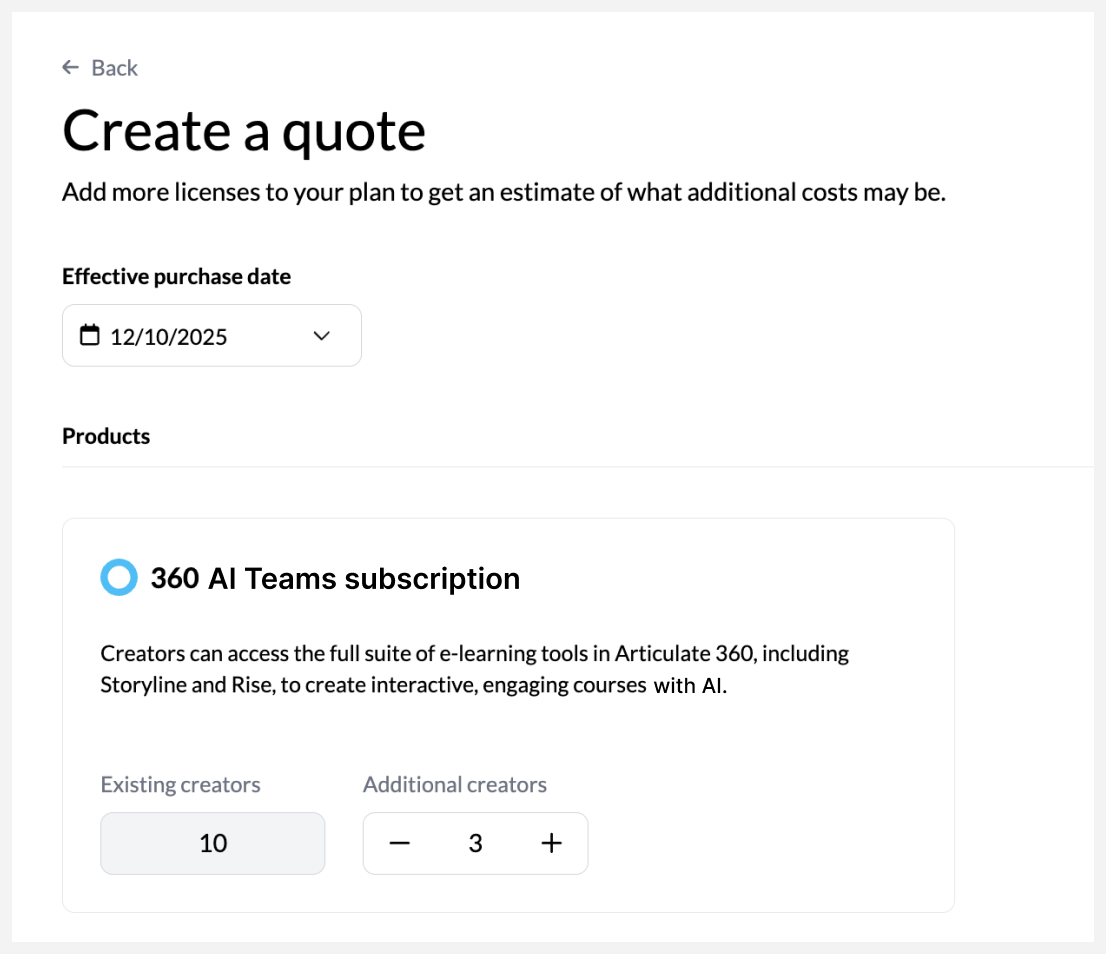
Sign in to your account management console from your browser. Then, navigate to the Billing tab (for account owners) or the Subscription tab, and choose Create a quote. Set an effective purchase date that’s before your next renewal date. Click the plus button for additional creators to enable the View quote button on the bottom right. Click the button to finalize the quote. Once finalized, a summary with the total amount appears along with the Download quote button. Click the button to download the quote document in a portable document format (PDF).
FAQs
Can anyone on our subscription generate a quote document?
Only the account owner and primary admins can use the self-service quoting tool to generate a quote document. Also, you may not see this option if you’re subscribed through a global reseller.
How can we order from a quote?
If you’re the account owner, you can order right from your account management console and pay via credit card at any time. You can also submit a Purchase Order, which our Order Management Team will review and process.
How can I make amendments to the generated quote document?
You need to generate a new quote document for any changes you want to make.