Browse Articles
Select a Product
null Support Directory
Browse all null articles. (Last Updated
No articles found.
Search Results
No articles found.
Storyline 360: How to Publish a Single Scene or Slide
Article Last Updated Jan 16, 2026
This article applies to:
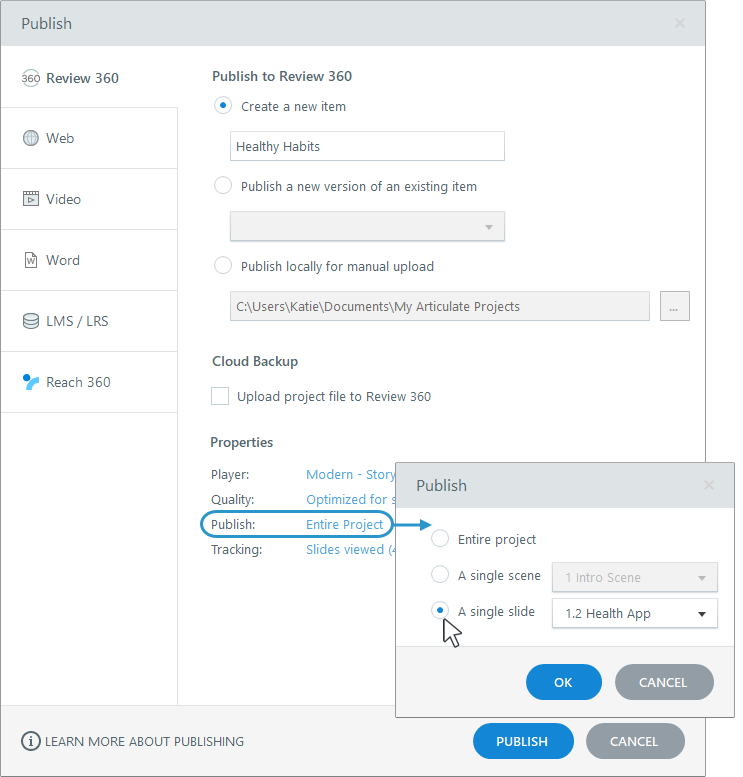
Need to publish just one scene or slide from a Storyline 360 project? Here's how. In the Publish window, select the Publish property, then choose to publish the entire project, a single scene, or a single slide.