Browse Articles
Select a Product
null Support Directory
Browse all null articles. (Last Updated
No articles found.
Search Results
No articles found.
Rise 360: Aligning Text
Article Last Updated Aug 18, 2025
This article applies to:
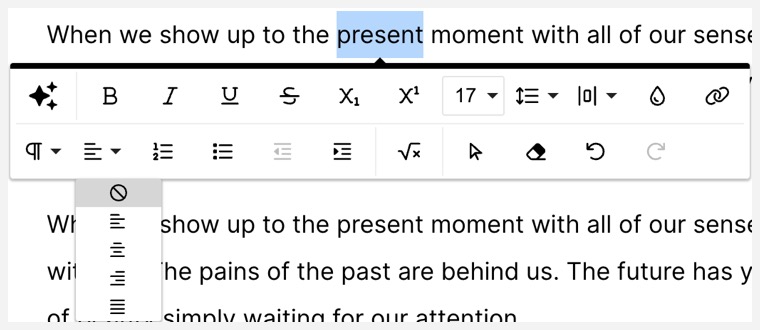
Text in Rise 360 can be formatted four different ways:
- Left-aligned
- Center-aligned
- Right-aligned
- Justified
To change the alignment of text, select your text and choose the appropriate option from the Align drop-down menu in the formatting toolbar.
If you’d like to reset the alignment of your text to the default format for that particular Rise 360 component, select the No Formatting icon at the top of the menu.