
Browse Articles
Select a Product
null Support Directory
Browse all null articles. (Last Updated
No articles found.
Search Results
No articles found.
Storyline: No Audio Waveform in the Timeline for Triggered Audio Clips
Article Last Updated Oct 21, 2025
This article applies to:
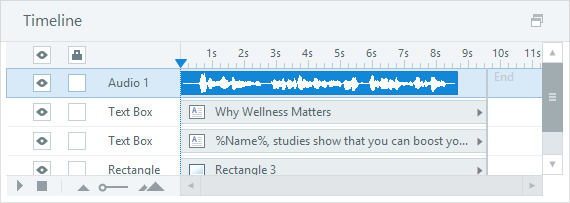
When you record narration or import an audio file for a slide or layer, it'll appear as a waveform with a specific duration in the timeline panel.
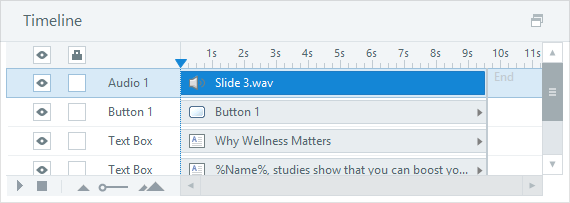
However, when you record narration or import an audio file for a Play media trigger, it'll appear as an audio clip without a waveform that spans the entire duration of the slide in the timeline panel. This is just a visual indicator that there's an audio clip for the slide, but it's controlled by a trigger, not the timeline.
Tips for working with triggered audio:
- You can still see the waveform for triggered audio. Just double-click the audio object in the timeline panel to open the audio editor.
- If you delete the Play media trigger, the audio clip will remain and will be converted to a waveform with a specific duration in the timeline panel.