
Browse Articles
Select a Product
null Support Directory
Browse all null articles. (Last Updated
No articles found.
Search Results
No articles found.
Articulate 360: Explore New Features with Labs
Article Last Updated Jul 7, 2026
This article applies to:
Want to help shape the future of Articulate apps? Labs gives you access to experimental features and a direct line to the teams building them. Read on to learn how to get started.
Note: Labs features are experimental and may change or be removed at any time. We recommend avoiding their use in training delivered to learners. Each creator can enable or disable experiments individually, so collaborators may experience incompatibilities. Unless otherwise noted, Labs experiments haven’t undergone accessibility testing and may not work with other Articulate 360 products (such as Localization or AI Assistant).
- Enabling Features with Labs
- Using Labs Experiments
- Sharing Feedback
- Disabling Labs Experiments
- Getting Help
Enabling Features with Labs
As long as you have creator access in Articulate 360, you can enable Labs from the Account Management page or in each separate app.
Note: Some Labs may only be available to users with a standard Articulate 360 AI license.
Account Management
-
From any web app, click your profile icon and select Account.
-
In the sidebar, select Labs. Available experiments are listed starting with the most recently released.
-
Select the toggle for an experiment and review the conditions in the pop-up.
-
Click Turn on and continue to enable the experiment.
Note: If you have the account management Labs page open in one tab and Rise 360 in another, you must refresh the Rise 360 tab to see the enabled experiments.
Rise 360
-
Open any content from your dashboard.
-
Click the Labs icon in the top menu bar to display the right sidebar, showing all available experiments.
-
Select the toggle for an experiment and review the conditions in the pop-up.
-
Click Turn on and continue to enable the experiment.
Storyline 360
- Go to the File or View tab and click Labs. Available experiments are listed alphabetically on this page.
- Select the toggle for an experiment.
- Review the conditions in the Labs window, then click Save and Restart to enable the experiment.
Every Labs experiment includes a dedicated introduction post in the Labs forum in ELH. We highly recommend reviewing the introduction post to better understand the duration, scope, and any known issues prior to enabling a Labs experiment.
Managing Labs Across Storyline Projects
Once you enable a Labs experiment, it stays on for all new projects you create until you manually turn it off. Existing courses aren’t affected unless you open them and actively use the experiment. Keep in mind that collaborators without the experiment enabled may be affected if they access content created with it.
Using Labs Experiments
The introductory forum post for each experiment includes best-use practices, along with any limitations. Additionally, the feature is usually labeled with the Labs icon shown below:

Note: The Labs icon may not be displayed for all experiments due to user interface restrictions.
Sharing Feedback
Providing feedback directly to our product, design, and engineering teams is a critical part of Labs. Most experiments have a direct link to a feedback form next to the Labs icon, as shown below:
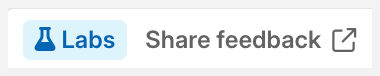
If an experiment doesn’t have a feedback link, check the forum post. You can also leave feedback in the relevant feature thread in the Labs forum in ELH.
Disabling Labs Experiments
To disable a Labs experiment, toggle it off on the Labs page in your account settings or in the Labs window in Storyline 360. In Storyline 360, you can also click Disable all to turn off all Labs experiments at once.
Note: Content created using an experiment may need to be reworked or recreated to ensure collaboration or add-on compatibility with other Articulate 360 products.
Getting Help
The Labs forum in ELH is where you can connect directly with fellow creators and the teams developing these features. It’s the quickest place to get answers to your questions. If you have trouble accessing Labs or have any other account-level questions about this feature, please reach out to Support and we’ll be happy to help.