
Browse Articles
Select a Product
null Support Directory
Browse all null articles. (Last Updated
No articles found.
Search Results
No articles found.
Rise 360: Using AI Tutor
Article Last Updated Jun 30, 2026
This article applies to:
Stay on track while you learn with AI Tutor. Use the in-course chat to ask questions, get simpler explanations, request examples, or summarize key points, all without leaving your training. Read on to learn more.
Use AI Tutor
As a learner, you get instant, course-aware help from AI Tutor right when you need it. Here’s how to get started:
- In a course with AI Tutor enabled, click the Ask AI Tutor button in the lower-right corner to open the chat window. This button might be labeled differently by the course author.
- Enter your questions in the chat box or choose from the prebuilt prompts to explain the content in simpler terms, search the course content, or summarize the training.
- (Optional) Click the X icon in the upper-right corner of the chat window to minimize it.
- (Optional) Click the pencil icon in the upper-left corner of the chat window to start a new chat session.
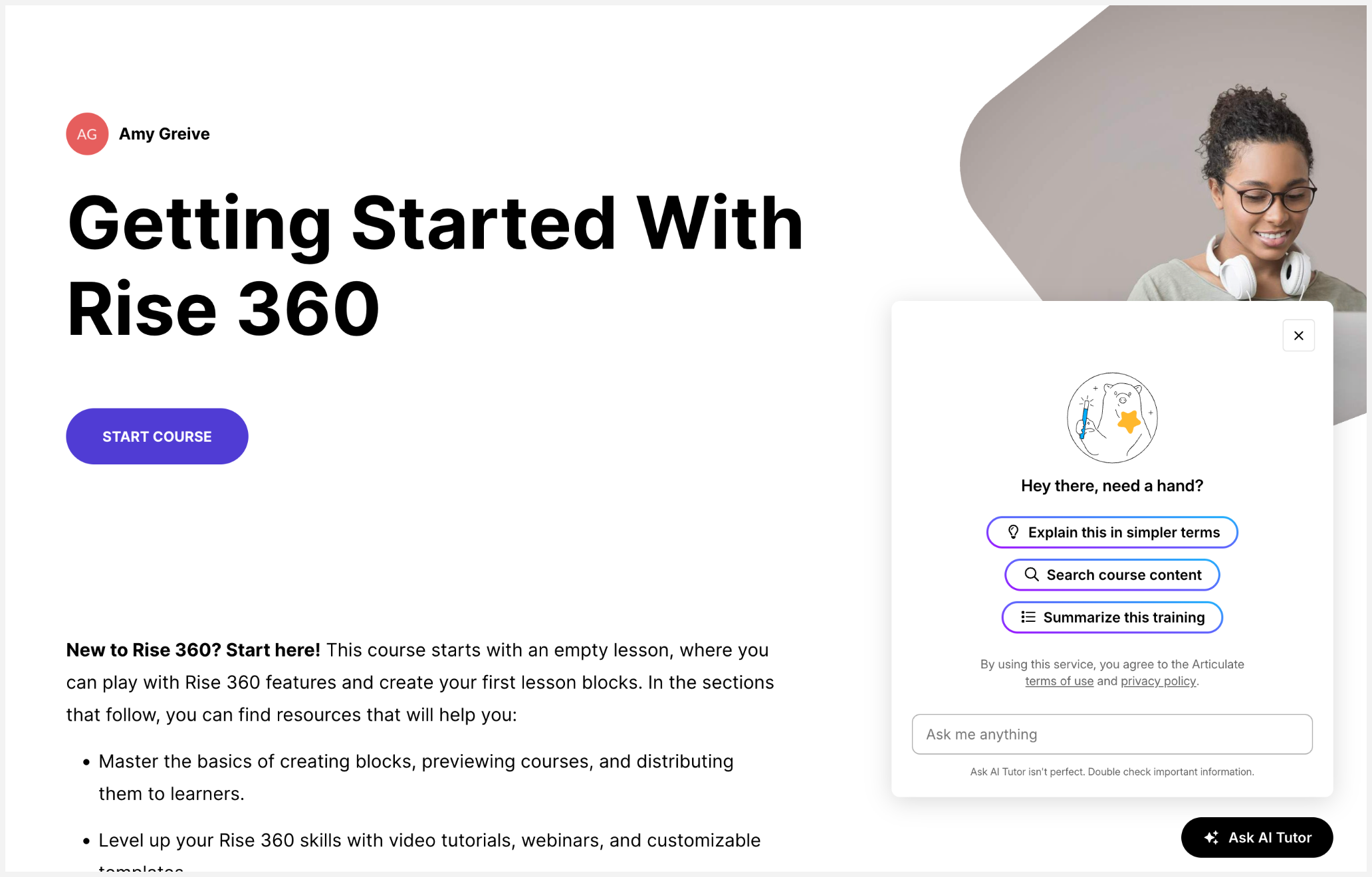
If you don’t click the Ask AI Tutor button, AI Tutor automatically opens the first time you scroll down a lesson.
Provide Feedback
We’d love to hear about your experience with AI Tutor. If you find the generated content helpful, click the thumbs-up icon in the lower-right corner of each AI Tutor response. Otherwise, click the thumbs-down icon and give us your thoughts. Your feedback will be shared directly with our product and engineering teams.
FAQs
Will AI Tutor reveal answers to quizzes and knowledge checks?
No. AI Tutor is designed to support your learning, not bypass it. You won’t be able to extract answers from AI Tutor during quizzes or knowledge checks. This ensures that AI Tutor enhances your comprehension while preserving the instructional intent of assessments.
Does AI Tutor support languages other than English?
AI Tutor works with translated and localized courses, and its underlying large language model (LLM) can understand and respond in languages supported by OpenAI.
Does AI Tutor pull content from outside the course?
No. AI Tutor is grounded in the content found in the training. It uses the published course material as its primary knowledge source and tailors responses to the specific content you’re working on. AI Tutor does not browse the web. Responses stay relevant, controlled, and aligned with the author’s intended learning experience.
Does the course author have visibility into my chat?
By default, your conversations with AI Tutor are private to you and the system for functionality and improvement purposes. The ability to provide course creators with course-relevant, anonymized feedback from your sessions is coming soon.
Any data handled complies with Articulate’s privacy, security, and data processing standards.
Does my feedback get shared with Articulate?
Yes. We use thumbs-up/thumbs-down to collect your feedback and interaction data to improve AI Tutor. All data is handled according to Articulate’s privacy, security, and data processing standards and is anonymized whenever possible.
Can AI Tutor answer questions about audio and video content?
Yes. AI Tutor can access transcripts, if available, to answer questions about audio and video content.